Troubleshooting
Linking Steam Account to a PanicNet account
In order to access HSPortal you must have a PanicNet account. See the instructions bellow.
I do not have a PanicNet account
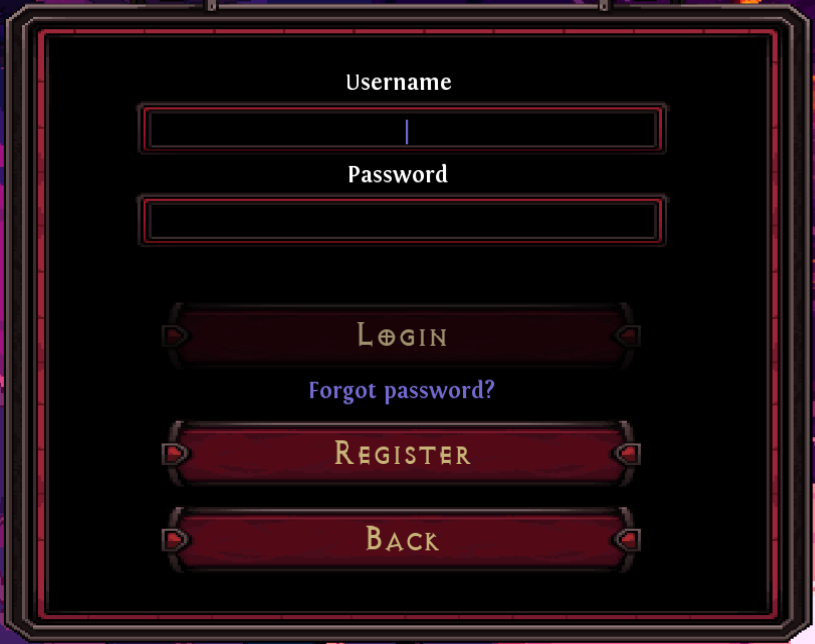
You need a PanicNet account in order to play Hero Siege Online. A new account can be registered in-game by pressing Online Play in the Main Menu and pushing the "Register" button. Newly registered accounts are automatically linked with the Steam account you are using to play Hero Siege.
I have a PanicNet account that is not linked to my Steam account
You will need to log in to your PanicNet account on Hero Siege's Online Play and accept the linking of your PanicNet account with your Steam account.
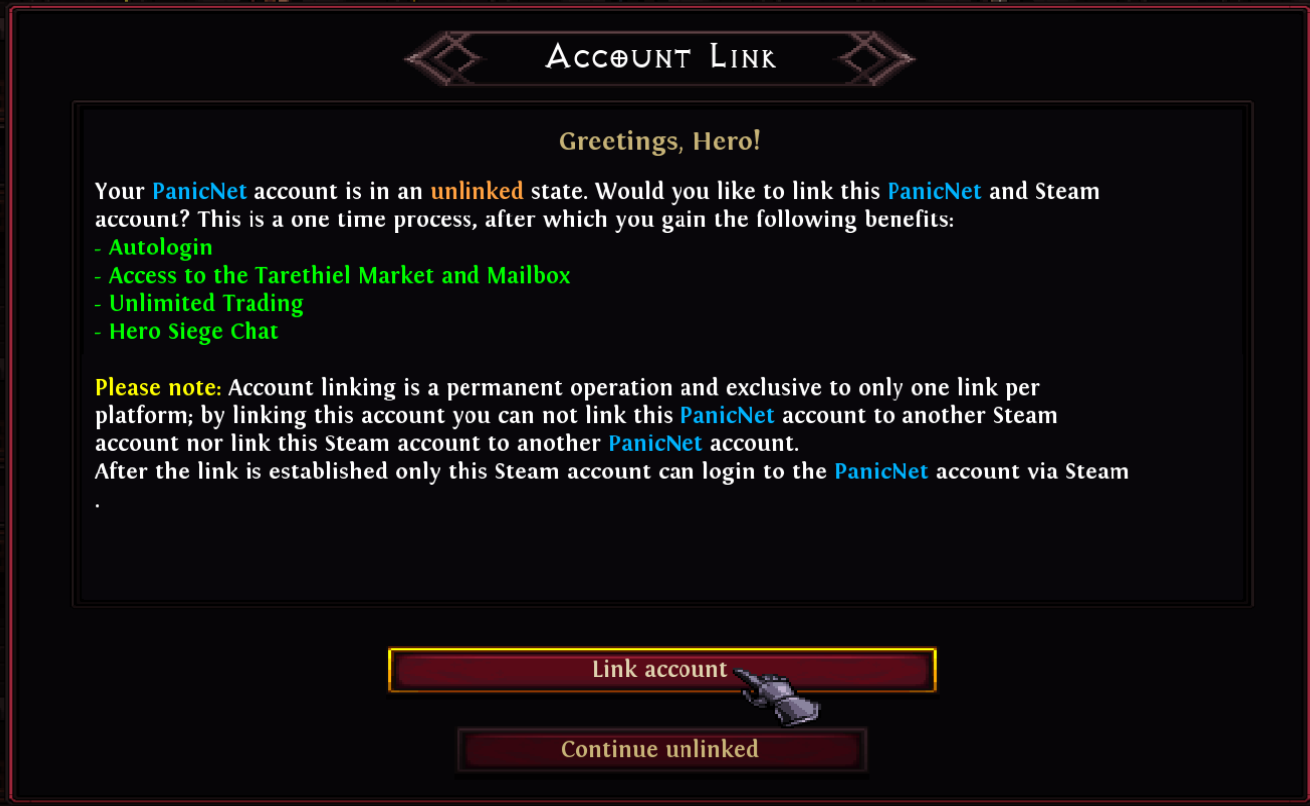
Note: Account links are unique, meaning that you can not link a PanicNet account to multiple Steam accounts and vice versa.
General Troubleshooting
Follow the steps below to troubleshoot connection problems:
- Restart your network devices, such as a router
- Verify your internet is working properly by using any online speed test
- If you are using Wi-fi, try using a wired connection if possible
- If you are using an anti-virus software, make sure hero_siege.exe is whitelisted
- If you are on playing on Windows, put hero_siege.exe to the exclusions list in your Windows Security settings
- Restart your device
- If you have another network available (for example, a WIFI hotspot or USB tethering with your phone) check if using the other connection works. If it does, verify your primary network and router settings again.
Hero Siege uses some of the "well known" ports in the 0-1024 range and the following ports:
- (TCP) 6600-6601 [Timeout code H]
- (TCP) 6602 [Timeout code HZ]
- (TCP) 6668-6669 [Timeout code AE68 or AE69]
- (TCP) 14815-14816 for Chat
Make sure your device and router allow outbound traffic to these ports.